

 Design
Figma-to-code AI output: what ships and what you rewrite in 2026
AI Figma-to-code tools get the layout and copy right. Tokens, states, components and semantics get rewritten: 541 accessibility faults in 300 generated UIs.
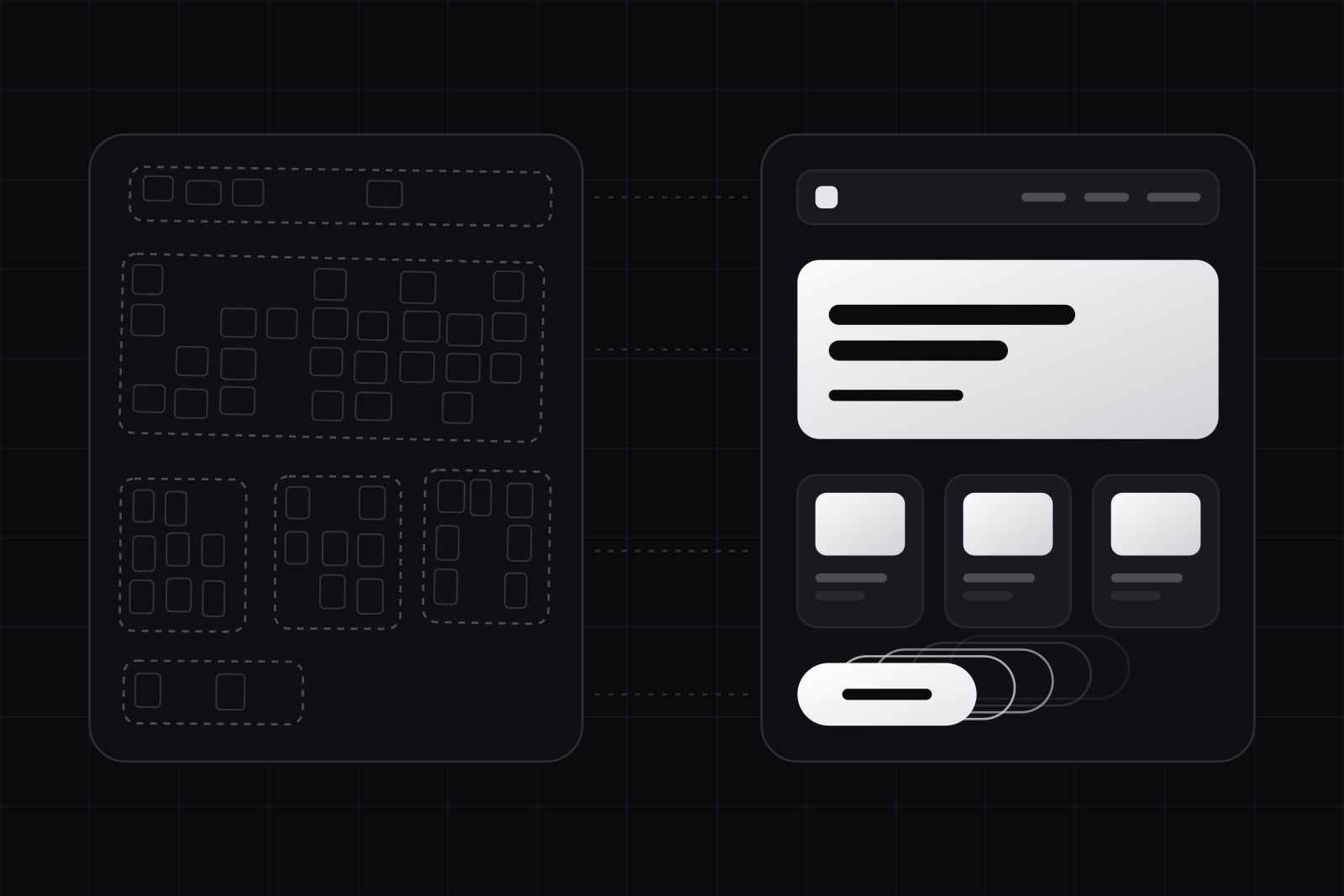
AI Figma-to-code output is the markup an agent or a plugin writes from a Figma frame. It reproduces the layout and the copy of the screen. It leaves out most of what makes a component safe to ship: the tokens, the states, the semantics and the link to the components the codebase already has.
The question matters to any team that has a design system and is deciding how far to trust these tools in 2026. The output looks finished in a screenshot, and that is the trap. What follows is a line-by-line comparison of what the tools generate and what production code needs, based on Figma's own documentation and on the research published so far.
The short version: keep the structure, rewrite the styling, replace the elements with your components, and write every state by hand. Generated output is a fast first draft of the layout. It is a poor first draft of a component.
What does AI Figma-to-code output actually contain?
Three kinds of tools produce it. Agents connected to the Figma MCP server read the file directly. Export plugins convert a selected frame into React, Vue or HTML. Screenshot-to-code models work from a picture of the screen and see no file at all.
The Figma MCP server is the most transparent about what it returns. Its main tool, get_design_context, gives the agent a structured React and Tailwind representation of the selection, and Figma's own guide tells you to treat that output "as a representation of design and behavior, not as final code style". A second tool, get_variable_defs, lists the variables used in the selection, so the agent can reference tokens instead of raw values. Both only carry what the file holds. A frame built without variables or auto layout gives the agent hex codes and absolute positions.
Screenshot-to-code starts with less. The Design2Code benchmark tested multimodal models on 484 real webpages and found they mostly lag in two places: recalling every visual element of the page and getting the layout right. A screenshot has no layer names, no variables and no component boundaries, so the model has to infer all three.
Generated output vs shipped code, axis by axis
The gap is easiest to see one concern at a time. The left column is what a well-structured Figma file typically yields through an agent or a plugin. The right column is what the same screen needs before it merges.
| Axis | What the generated output has | What shipped code needs |
|---|---|---|
| Layout | Flex and grid inferred from auto layout; absolute positions where auto layout is missing | The layout primitives the codebase already uses (Stack, Grid, Container) |
| Color and spacing | Variables when the file has them; raw hex and pixel values when it does not | Semantic tokens only, never a raw value |
| Components | New markup for every button and input, unless Code Connect maps them | Imports of existing components with their real props |
| Typography | Font size, weight and line height copied per text layer | The type scale as named styles |
| States | The one state drawn in the frame | Hover, focus, active, disabled, loading, empty and error |
| Semantics | Divs and spans, generic alt text, vague link labels | Landmarks, headings in order, labelled controls, meaningful alt text |
| Responsive behavior | The breakpoint that was drawn | Every breakpoint, plus text that wraps and content that grows |
| Data and behavior | Static copy from the file | Props, loading from the server, validation, events |
Where the generated output is good enough to keep
Some of it survives review almost unchanged, and it is the part that used to cost the most typing.
- The nesting. When the file uses auto layout with gap, padding and direction set, the inferred flex structure is usually right. The MCP guide lists auto layout as the way to communicate responsive intent for exactly this reason.
- The copy and its order. Headings, labels and body text come across as written, in reading order.
- One-off sections. A marketing band that exists once, with no states and no data, can ship close to how it was generated once its values are swapped for tokens.
- Prototypes. A screen built to test an idea with five users does not need focus states or a type scale. Generated output is enough.
Where the generated output gets rewritten
Tokens and raw values
An agent can only reference a token such as color.surface.raised if the frame used that variable. Every layer filled with a picked color comes out as a hex code, and every spacing set by dragging comes out as a pixel value. Code review then turns into a search for numbers. We covered why the token layer is its own decision in design tokens vs CSS variables vs Tailwind.
Components
Without a mapping, the agent rebuilds each button from its rectangles and its label. Figma's guide is direct about Code Connect: "Without it, the model is guessing." Even with the mapping, the agent picks props from what it sees, so a component with a loose API invites wrong combinations. Tight props, as in our six prop rules, shrink that room for error.
States
A frame is one moment of a component. The generated code reproduces that moment and nothing else: no focus ring, no disabled look, no loading or error path. These states are where most interface bugs live, and no tool can generate a state nobody drew.
Semantics and accessibility
This is the gap automated checks miss. A CHI 2026 study by Calo, Gurita and De Russis generated 300 web interfaces with three commercial models and found 541 semantic accessibility violations across six fault types, about 1.8 per interface: alt text that describes nothing, links whose purpose is unclear, headings that do not match their content. An image with alt="image" passes every automated checker. A separate comparison of LLM and human-written web code found the models handle color contrast and alt text well and struggle with ARIA attributes. Generated UI needs a person with a screen reader before it ships.
Responsive behavior
Most frames are drawn at one or two widths. The output follows those widths and guesses the rest, and long translated strings, missing images and empty lists expose the guess first.
Why the last stretch costs more than the first
Addy Osmani calls the pattern the 70% problem: AI gets you most of the way fast, and the remaining part "takes longer than the first 70%". He adds that better prompts, specs and context push the share to maybe 80 to 85 percent, and then the returns drop. Design-to-code follows the same curve. The share the tools cover is the visible part: boxes, spacing, copy. The share left to people is the invisible part: tokens, states, semantics, behavior. A reviewer has to read that part line by line, because it looks correct in the browser until someone tabs through it.
In practice the cost moves to a later stage. Generated output saves typing and adds review. A team that merges it as written pays later, in component drift: three slightly different buttons, each correct the day it shipped.
How we use it
We treat generated output as a specification of the layout, never as code to merge. The sequence on a design-system project:
- Fetch one section at a time. A card, a header, a form. Smaller selections give the agent less to guess. The setup is in our Figma MCP handoff guide.
- Map to existing components first. The agent's instructions name the component library and forbid new markup for anything it already covers, as in our governance rules for agents.
- Replace every raw value. A lint rule fails the build on a hex code or a pixel value outside the token files.
- Write the states by hand from the component's contract, not from the frame.
- Check semantics by ear. Automated audits first, then a keyboard and screen reader pass on every new screen.
The time saved is real on steps one and two. Steps three to five are where the hours go, and where the quality of the final product is decided.
How to judge a tool before you adopt it
Vendor demos use clean files and single states. A fairer test takes an afternoon. Pick one real screen from your product that has at least three states and one form. Generate it with the tool. Then count four things in the output: raw values that should be tokens, elements that duplicate an existing component, states that are missing, and semantic faults found with a screen reader. Finally, time how long the output takes to reach a merged pull request.
That last number is the one that matters. A tool that produces a pixel-close screen in a minute and a day of rework has saved less than one that produces a rougher screen built from the right components. Run the same test again after you improve the Figma file. The score usually moves more with the file than with the tool.
Sources
- Figma: MCP server guide and best practices (GitHub)
- Figma Help Center: Guide to the Figma MCP server
- Si et al.: Design2Code, benchmarking multimodal code generation for front-end engineering (arXiv)
- Calo, Gurita, De Russis: Measuring the semantic accessibility gap in LLM-generated web UIs (CHI EA 2026)
- Human or LLM? A comparative study on accessible code generation capability (arXiv)
- Addy Osmani: The 70% problem
Frequently asked questions
No, and the research points to where the line sits. The tools cover the visible layer of a screen well: boxes, spacing and copy. They miss states nobody drew, semantics automated checkers cannot see, and the link to an existing component library. A developer still decides which component to use, writes the loading and error paths and reviews the result with a keyboard and a screen reader. What changes is how the developer spends the day: less typing of layout, more review.
It fixes the biggest single gap, component reuse, and nothing else. With Code Connect the agent imports your Button instead of rebuilding it from rectangles. It still picks props from what the frame shows, still sees only the state that was drawn and still knows nothing about accessibility the file does not carry. Code Connect is worth setting up for any team with a component library, but review stays the same length for states and semantics.
For production work, usually yes. A screenshot carries pixels only: no layer names, no variables, no auto layout and no component boundaries, so the model infers structure and the Design2Code benchmark found layout and element recall to be the weakest points. Generating from the file through the Figma MCP server gives the agent variables and layout intent to work with. Screenshot-to-code still makes sense for recreating a page you have no file for, such as an old site you are rebuilding.
Related services
Related articles
Design Design
Multi-brand design tokens: 6 steps from one primitive layer
One primitive layer, one alias-only file per brand, components that read only semantic names: six steps built on the DTCG 2025.10 spec and Figma variables. AI
AI