

 Web
WebReact Server Components in production: 6 pitfalls to avoid in 2026
45% of React developers have shipped Server Components, yet they rank third-most-disliked in the State of React 2025. Six failure modes explain the gap.
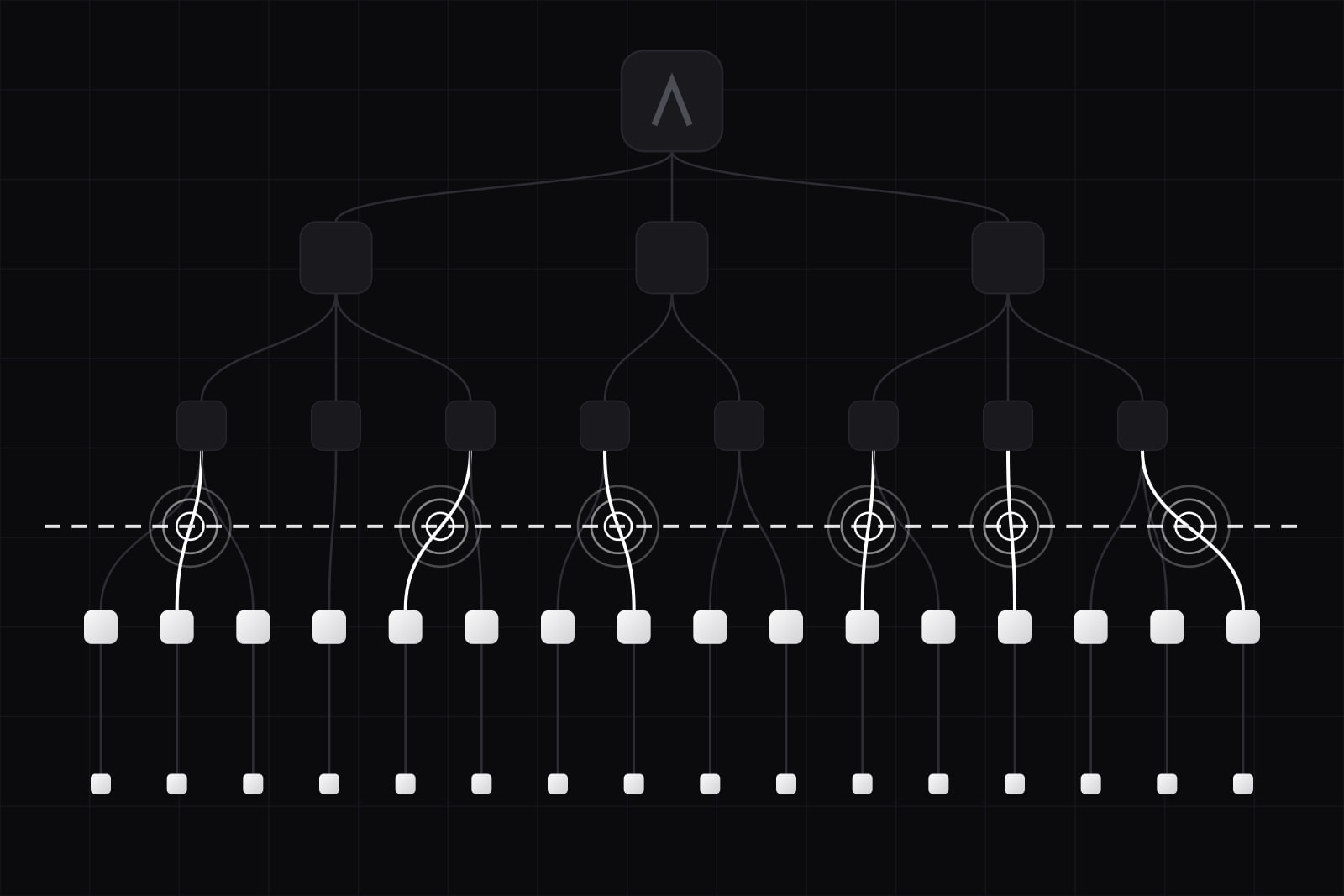
A team migrates a React app to the App Router, moves most of the tree to Server Components, and ships. The client bundle grows by 40 kB instead of shrinking. Nobody can explain it. The cause is almost always one line: a 'use client' sitting at the top of a shared layout or a barrel file, which drags every module imported below it into the browser.
That failure shape repeats across teams. React Server Components have been generally available since React 19 shipped in December 2024, and adoption is real: 45% of respondents in the State of React 2025 survey said they had used them. Sentiment did not follow. Server Components landed as the third-most-disliked feature in that same survey, with Server Functions fourth. The survey ran from 19 November 2025 to 13 January 2026 and collected 3,760 responses.
The gap between adoption and satisfaction is not mysterious. RSC is not a performance flag you switch on. It is a boundary in the module graph, and six specific things go wrong when a team treats it as the former.
Why does the client bundle grow after moving to Server Components?
Because 'use client' marks a boundary, not a single component. The React documentation is explicit: the directive declares the entry point of the client module graph, and every module imported from that file, child components included, becomes part of the client bundle. It does not need repeating further down the tree. That is exactly the trap. One directive on a shared components/index.ts barrel pulls the whole barrel into the browser.
Put the directive as low as the interactivity requires: on the button, not on the page that renders it. Keep server-only helpers in files that never sit under a client entry point. Delete barrel files in shared UI directories, because a barrel guarantees the boundary lands too high. Then verify: next build prints First Load JS per route, and after a real migration that number falls. If it climbs, the boundary is in the wrong place.
Sequential awaits turn one page into a waterfall
Server Components let you write await directly inside a component. It reads well and hides a cost. When a parent awaits before rendering children that fetch their own data, requests run one after another, and time to first byte becomes the sum of every hop instead of the slowest one. LogRocket documented this as the most common RSC performance mistake in Next.js.
Two fixes, and they are not interchangeable. When the calls are independent, hoist them into the parent and start them together with Promise.all. When one is slow and the rest are fast, do the opposite: give each fetch its own sibling component, wrap it in <Suspense>, and let React stream results as they resolve, so a 900 ms reporting query does not hold back a 20 ms header.
Context does not cross the boundary, and the workaround undoes the migration
Context API incompatibility was the single most-cited complaint in the State of React 2025 write-up, with 59 mentions. The mechanics are simple: Server Components render once, on the server, with no state and no effects, so useContext, useState and useEffect are unavailable by design.
The workaround teams reach for is a client provider wrapped around the app in the root layout. It restores Context and quietly moves the entire subtree back to the client, which cancels the reason for migrating. Treat Context as a client-side mechanism and keep it in client subtrees only. On the server, pass data down as props, read request-scoped values such as cookies, headers and route params where you actually need them, and use React's cache() to deduplicate repeated reads within one request. We covered the placement question in more depth in our server versus client decision tree.
Serialization failures surface at runtime, not at build time
Every prop crossing from a Server Component to a Client Component is serialized into the RSC payload. Plain objects, arrays, primitives, Promises and Server Functions cross fine. Arbitrary class instances and ordinary functions do not. The usual culprits are ORM model instances, database driver types such as Decimal, and callback props passed down out of habit.
TypeScript will not catch this. The error arrives in the browser console the first time that branch renders, which in practice means in staging or in production. Map to a plain object at the boundary and type it as an explicit DTO, so the shape crossing the wire is a decision rather than a leak.
Caching changed under teams in Next.js 16
Next.js 16 introduced Cache Components. With cacheComponents: true nothing is cached by default and you opt in with the 'use cache' directive, which replaces unstable_cache and removes implicit fetch caching. The caching documentation spells out the new default: request-time data is dynamic unless you mark it cached.
Teams who learned RSC on Next.js 13 to 15 carry intuitions that are now wrong. Pages they believed were static render per request, response times move, and infrastructure cost moves with them. Audit every route after the upgrade rather than trusting the previous mental model, and pair the audit with a route structure that streams. Partial Prerendering is the mechanism that makes an explicitly cached shell worth the effort.
Async Server Components are still not unit-testable
The official Next.js Vitest guide states it plainly: async Server Components are not currently supported by Vitest, and end-to-end tests are recommended for them. Testing gaps drew 24 mentions in the State of React 2025 responses. Jest has the same limitation.
The workable split is layered. Unit-test synchronous components, Server Functions as plain functions, schema validation and pure logic. Cover async Server Components, middleware, cookies and routing with Playwright. Teams that skip this step do not discover the gap until coverage looks fine and a data-fetching regression ships anyway.
What a migration that works actually looks like
- Record a baseline. First Load JS per route, LCP and TTFB on the three routes that carry the most traffic. Without numbers before, no claim after.
- Move leaves, not roots. Convert components that only read data. Leave interactive subtrees alone until the data path is stable.
- Push
'use client'down. One directive per interactive island, never on a layout or a barrel. - Define the boundary contract. Explicit DTOs for every prop crossing to a client component, so serialization is checked in review instead of in production.
- Parallelise or stream, decide per route.
Promise.allfor independent calls, Suspense boundaries when one call is slow. - Re-measure. If bundle size, LCP and TTFB have not improved, the migration bought complexity and nothing else. Roll that route back.
Most of the value shows up on content-heavy, publicly indexed routes: marketing pages, catalogues, documentation, article pages. Those are the ones where shipping less JavaScript translates into a measurably faster page, and where the Core Web Vitals move.
When not to adopt RSC
Three cases where the trade is bad. An authenticated dashboard with heavy client interaction and no SEO surface spends the complexity budget for very little return, since almost every subtree ends up client-side anyway. A small application with a fast backend gains little from moving rendering to a server that now has to exist and be paid for. And a team without a testing story for async components, on a product where regressions are expensive, is buying a known gap in its safety net.
RSC is a good default for new applications with meaningful public surface. It is a poor default for an existing app that works, where the migration cost is real and the measured gain is often close to zero. Decide per route, with numbers, and keep the routes where the numbers say no.
Sources
Frequently asked questions
No. They remove component code from the client bundle, which helps pages that were shipping JavaScript they did not need. They do nothing for a slow database query, and they add a server round trip that a static page did not have. On content-heavy public routes the trade is usually good. On an interactive dashboard where almost everything is a client component anyway, the measured gain is often close to zero. Record First Load JS, LCP and TTFB before the migration and compare after, per route.
Yes, inside client subtrees. A store is client state and lives behind a "use client" boundary like any other interactive code. What changes is where you put the provider. Wrapping the root layout in a store provider works and pulls the whole tree back to the client, which cancels the benefit. Put the provider around the interactive island that needs it, pass server data into that island as props, and keep the rest of the route on the server.
Only route by route, and only where the numbers justify it. The Pages Router still works and receives fixes. A full rewrite of a working app buys a new caching model, a new testing gap for async components and a new class of serialization bugs, in exchange for a bundle reduction you can estimate in advance. Start with the two or three public routes that carry organic traffic, measure, and decide on the rest afterwards.
Type the boundary. Define an explicit DTO for every prop that crosses from a Server Component to a Client Component, build it with a mapping function, and never pass an ORM entity or a driver type straight through. That turns an invisible runtime failure into a code review question. Add a Playwright pass over the routes that render those branches, since a synchronous unit test will not execute the async server render where the error appears.
Related services
Related articles
Web Web
WebNext.js 16 + React 19: the 3 changes that break old SaaS code
Turbopack is the default bundler, request APIs like params and cookies are now async, and React Compiler 1.0 is stable. What breaks moving a SaaS off Next 15. Web
Web