

 AI
AIClaude Code context window: manage it like a token budget
A fresh Claude Code session already spends about 20,000 tokens before you type. Here is how /context, /compact, and /clear keep the 200K window sharp.
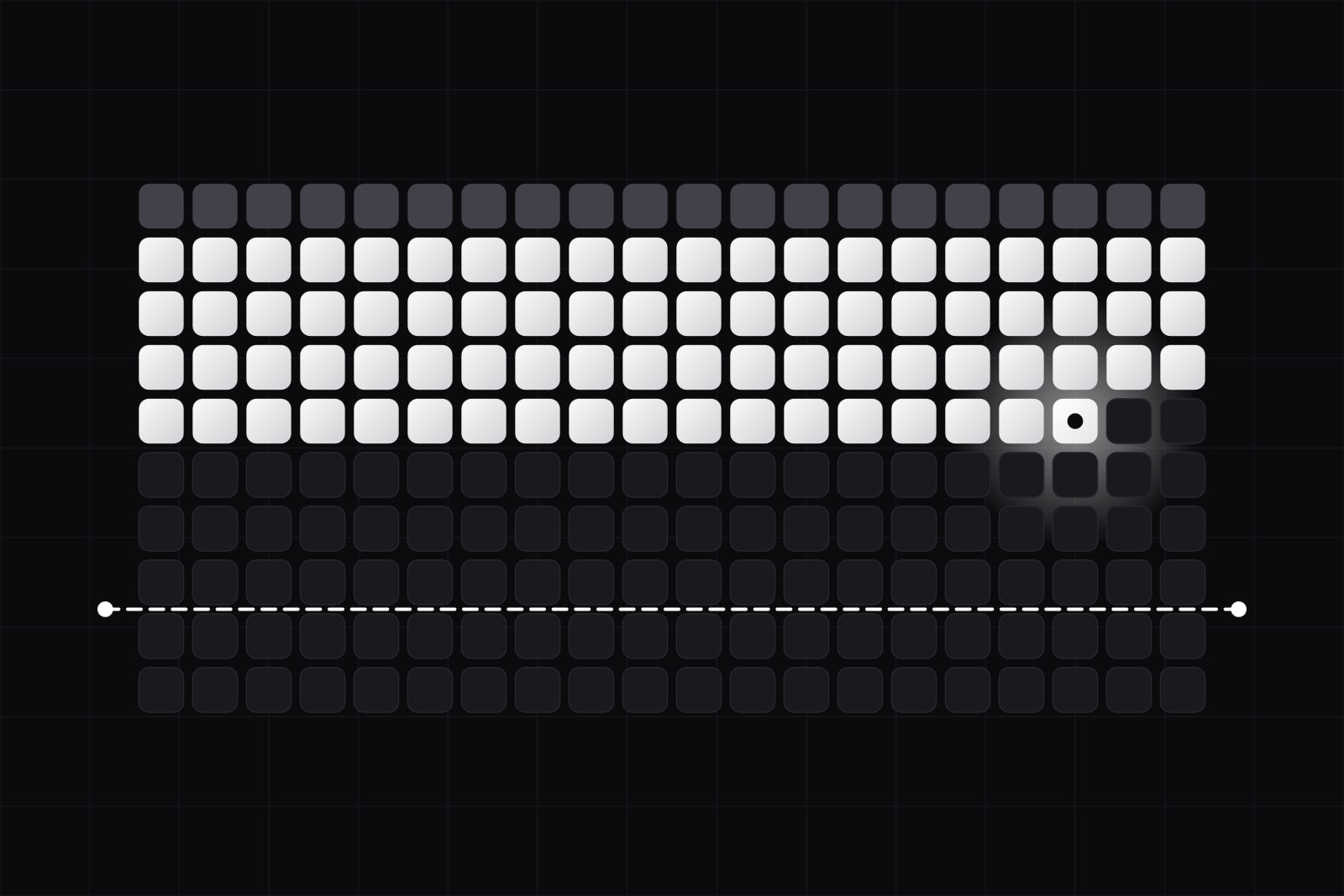
Claude Code context management is the practice of controlling what sits in the model's 200,000-token window so the agent stays accurate as a session grows. A context window is not free storage. It is a working budget, and it degrades as it fills.
Most people meet this limit the same way. A session runs long, Claude starts forgetting the file it edited ten minutes ago, and the fix looks like magic when someone finally types /clear. There is nothing magic about it. It is budget discipline. Here is how the window fills, why a full one hurts, and the small set of commands that keep it honest.
The 30-second version
- The window holds 200,000 tokens by default. A fresh session already spends about 20,000 on setup, and roughly 33,000 more is reserved for auto-compact.
- Accuracy drops as the window fills. This is context rot, and it starts well before the ceiling.
/contextshows the breakdown,/compactsummarizes the thread,/clearresets it to zero.- Compact at 50 to 70% full, not at the 95% auto-trigger. Start a new session per task.
- Move big reads into subagents so they spend their own budget, not yours.
What is the Claude Code context window?
The context window is every token Claude can see at once: the system prompt, tool definitions, your CLAUDE.md, any loaded skills, and the full back-and-forth of the conversation. The default is 200,000 tokens. Opus 4.6 and later, and Sonnet 4.6, can run a 1-million-token window when you opt in (Anthropic docs).
It starts loaded. A fresh session spends roughly 20,000 tokens on the system prompt, tool definitions, and CLAUDE.md before you type a word. Claude Code also holds back an auto-compact buffer, around 33,000 tokens in early 2026, down from 45,000. So on a 200K window you begin with about 147K of usable space, not the full 200K.
Why a full context window makes Claude worse
The window has a hard ceiling, but the real trouble shows up long before you reach it. Researchers named it context rot: model accuracy falls as the input gets longer, across many kinds of task, not only needle-in-a-haystack retrieval (Understanding AI).
The failure has a shape. When a window is under half full, models attend most to the start and the end and skim the middle. Past the halfway mark, attention drifts toward the most recent tokens and the early ones fade. In a coding session that means the constraint you set in message three is the first thing to slip. Anthropic frames the answer as context engineering: treat the tokens you feed the model as a scarce resource and curate them on purpose (Anthropic engineering).
So the goal is not to survive until the 200K ceiling. It is to keep the window small enough that the model still reasons well over what is inside it.
The five commands that run the budget
Claude Code hands you a small toolkit. Four commands read or reshape the window. One reports cost.
/contextshows where every token is going: system prompt, tools, memory files, skills, and conversation, with the reserved auto-compact buffer called out. Run it first when a session feels heavy./statusreports session metrics without changing anything./compactsummarizes the conversation so far and swaps the raw history for that summary, keeping the reasoning while shedding the token weight./compact focus on Xsteers what the summary keeps./clearwipes the conversation and returns context to zero. It is the reset for moving to unrelated work./usage(also/cost) reports spend against your plan limits.
Left alone, Claude Code auto-compacts when the window hits about 95% of capacity. That default is late. By 95% the model has already reasoned across a bloated window for a while, and the summary it writes under pressure is weaker than one you trigger on purpose (Unblocked).
How we spend the budget
Three habits keep the window working. None are clever. All are cheap.
Start a new session per task. Anthropic's own rule of thumb is new task, new session (Anthropic best practices). A refactor, a bug hunt, and a docs pass share almost no context. Carrying one into the next pays rent on tokens the model then has to ignore. Finish, /clear, start clean.
Compact early, not at 95%. When you stay on one task but the thread gets long, run /compact yourself somewhere between 50 and 70% full. You keep the decisions and the file list; you drop the raw tool output that ate the space. Add a line to CLAUDE.md telling Claude what a compaction must preserve, say the full list of modified files and the test command, so the summary never discards the thing you needed.
Read /context before you blame the model. When Claude turns forgetful, the window is usually 80% full of one giant file dump or a tool that returned 40,000 tokens of JSON. /context shows that in one screen. The fix is almost always structural, a change to what you feed it rather than a cleverer prompt.
A worked example. You open a session to fix a failing test, and halfway through you ask Claude to also refactor the module and update the docs. By the third job the model reruns the test wrong, because the original error is buried under two later tasks. The budget answer: finish the test fix, /clear, then open the refactor as its own session with its own clean window.
Does the 1-million-token window fix this?
Opus and Sonnet can now run a 1-million-token window, and the obvious question is whether that ends the problem. It does not. A larger window raises the ceiling; it does not repeal context rot. You still lose accuracy as the window fills, just later and at higher cost, since you pay per token in and out. Some engineers deliberately keep the 200K window instead of the 1M one, because the smaller budget forces the discipline that keeps output sharp. The window size is a ceiling. The budget is still yours to manage.
Push work off your window: subagents and CLAUDE.md
The best token is the one that never lands in your window. Two mechanisms move work elsewhere.
Subagents run in their own separate context window. Hand a subagent a large directory read or a long investigation, and it spends its own budget, then returns a short summary to your main session. The 40,000-token file read stays in the subagent's window, not yours. For anything exploratory, this is the highest-return move available.
CLAUDE.md loads on every session, so it is permanent budget. Treat it that way. A bloated CLAUDE.md is a tax on token count in every session before you type. Keep it short and always-on, push enforceable rules into hooks, and move contextual knowledge into skills. We wrote the long version of that split in how to write a CLAUDE.md that steers Claude Code, and the session-level habits sit inside our daily Claude Code workflow.
The whole discipline reduces to one idea. The window is a budget with a fixed balance and a running cost, and the agent gets duller as the balance drains. Watch it with /context, spend it on one task, refill it with /clear.
Sources
Frequently asked questions
/clear only wipes the conversation history in your current session. Files on disk, git history, and anything you already saved are untouched. What you lose is Claude's memory of the discussion: the reasoning, the earlier instructions, the files it read. If that context still matters, run /compact instead, which keeps a summary. Use /clear when the next task genuinely starts fresh.
Use task boundaries, not a timer. Each time you switch to unrelated work, a new feature, a different bug, a docs pass, run /clear and start clean. Within a single long task, reach for /compact instead so you keep the thread's reasoning. A rough signal: if you would struggle to explain how the current request connects to the last one, the window is carrying dead weight and a reset will help.
Because attention is uneven across a full window. Once the context passes roughly half full, models lean toward the most recent tokens and the earliest ones fade. An instruction you gave near the start of a long session is exactly the kind of early token that slips. This is context rot, and it is why compacting early or restating a key constraint mid-session works better than simply continuing.
Yes. You pay per token going in and coming out, so a larger window that you actually fill costs more per turn than a lean 200K session. The bigger window also does not remove context rot, it just delays it. For most coding work, a smaller window kept tidy with /compact and /clear is cheaper and sharper than a huge window left to fill.
Related services
Related articles
AI AI
AIClaude Code skills: when to use them, when they cost tokens
Claude Code skills load on demand and cost 75-150 tokens each just to list. Use them for procedures over five lines; keep project-wide rules in CLAUDE.md. AI
AI