
How to run a design system audit in 5 days: a checklist
A day-by-day checklist to audit a design system: inventory components, score four kinds of drift, test accessibility, and ship a fix list in five days.
In this piece
Five working days from now you can have three things on the table: a component inventory that lists every variant running in production, a scored map of what has drifted away from the source of truth, and a fix list ordered by impact that a developer can start on Monday. That is the output of a design system audit. Below is the day-by-day checklist we run on every engagement.
Run the audit when the system has started to cost more than it saves. You know the signs. A designer rebuilds a button because the right one is buried three pages deep in the library. Two screens that shipped in the same sprint look like two different products. Nobody on the team can say which of the four grey tokens is the canonical one. The 2026 zeroheight Design Systems Report found that three in five design system teams are understaffed and 16% of systems are kept alive by a single person. Drift is what that understaffing produces. An audit will not hire anyone, but it tells a small team exactly where its next ten hours pay off.
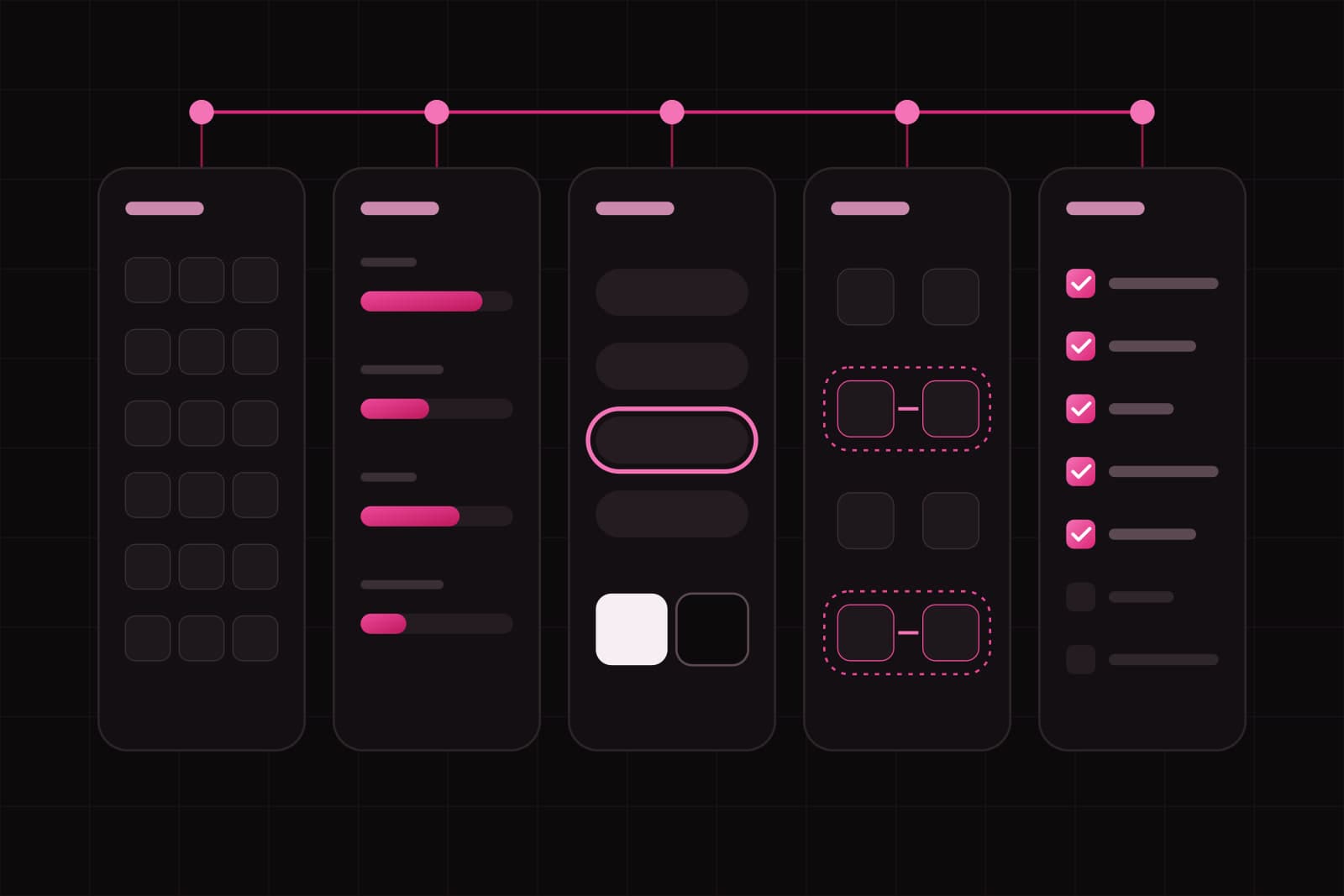
The shape is fixed: one day to inventory, one to score the drift, one for accessibility, one for tokens and docs, one to write the plan. Five days is enough for a system of up to roughly sixty components. Past that, double the timeline.
What you need before day one
Line these up first, or day one slips into day two:
- Access to the design source of truth (the Figma library or equivalent) and to the production app or its Storybook.
- A spreadsheet or an audit tool. A sheet is enough. Do not buy software to run your first audit.
- An accessibility checker in the browser. We use axe-core, which is free and open source.
- Two or three real user flows to walk: signup, the main dashboard, one settings or billing screen. Screens beat theory.
- Ninety minutes booked with whoever owns the system, on day five, to hand over the fix list.
Day 1: inventory every component in production
Open the product, not the library. Walk the three flows and list every distinct component you see: buttons, inputs, cards, modals, tables, empty states, toasts. For each one, record where it appears and how many visual variants of it exist in the wild. A button that shows up in five colors, three heights, and two corner radii is one row, with the variant count next to it. Do not trust memory: if it renders on screen it goes in the sheet, even when you are sure the library has no such thing.
The number that matters by end of day is variant sprawl: how many rendered versions of each component exist versus how many the library defines. A library with one primary button and eleven primary buttons in production has an 11-to-1 sprawl on that component. That ratio is the audit in a single figure, and you will use it to prioritize later.
Day 2: score the drift
Drift is not one thing. Sort every inconsistency you logged into four kinds, because each has a different fix:
- Token drift. A color, spacing, or type value in code no longer matches the design source. Only about 40% of teams run an automated token pipeline, so this is the most common kind by far.
- Variant drift. A component renders with properties the design never specified. It is spreading fast now that AI-generated code fills in gaps the designer never signed off on.
- Pattern drift. The individual components are correct, but they are composed differently across areas: the same form laid out three ways.
- Documentation drift. The docs describe behavior the component no longer has.
Score each item 0 to 2: 0 for on-system, 1 for a minor deviation, 2 for a component that has broken away entirely. Sum the twos. That is your day-two headline, and every 2 is a candidate for the fix list.
Day 3: audit accessibility
Run axe-core on each of the three flows. It flags contrast failures, missing labels, and broken focus order in seconds. Read the results carefully, because automated tools catch roughly 57% of WCAG issues and the rest need a human. So do two manual passes the machine cannot: tab through every flow using only the keyboard, and check that focus is always visible and never trapped. Note every component that fails, because a broken component in the system is a defect multiplied across every screen that uses it. Since the European Accessibility Act took effect in June 2025, these failures also carry legal weight for products sold in the EU.
Day 4: check tokens and documentation
Pull the token file and compare it against what the product actually renders. Two greys that should be one, a spacing scale with a rogue 13px step, a font size defined but never used: log each mismatch as token drift with a severity. Then open the documentation and test it as a new developer would. Pick three components and try to use each one from the docs alone. Anywhere you cannot, the documentation has drifted, and undocumented components are the ones that get rebuilt from scratch.
Day 5: write the fix list
Turn every 2 from the week into a row a developer can act on. Each row names the component, the kind of drift, the fix in one sentence, and an effort estimate in hours or days. Then sort by a simple rule: highest variant sprawl and any accessibility failure go to the top, cosmetic single-instance issues go to the bottom. A finding that stays an observation changes nothing. A finding written as "collapse eleven primary buttons into one, delete the other ten, 1 day" gets done. Hand the list over in the ninety-minute session and walk the owner through the top five.
How to know the audit worked
A week after handover, three signals tell you it landed. The variant sprawl number on your top components is falling. New pull requests reference the fix list by row. And the team has stopped asking which token is the right one, because the audit named it. If none of that moves, the problem was never the components. It was governance, and that is a different engagement.
Where audits go wrong
The most common failure is auditing the library instead of the product. The library is where the system is supposed to be. The product is where it actually is, and the gap between the two is the entire point. The second failure is scoring everything as urgent, which leaves the team with a 200-row list and no order to work in. The third is handing over a document nobody reads. Ninety minutes of walkthrough beats a fifty-page PDF every time.
Going further
If you are still deciding whether you need one, start with what a design system audit is and when you need one. To understand the decay this checklist measures, read how component drift happens. And to keep the drift from coming back, governance across multiple projects is the follow-up to any audit.
Sources
Frequently asked questions
How often should you run a design system audit?+
Run a light audit every quarter and a full five-day audit once a year. Also run one after any event that forces change at speed: a rebrand, a large release, a framework migration, or losing the person who held the system in their head. Components that go 90 days without review are the ones that drift, so a fixed cadence beats an audit triggered only by a crisis.
Can you run a design system audit with AI tools?+
Partly. AI is good at the mechanical half: listing components, flagging contrast, spotting duplicate tokens. It is weak at the half that matters, which is deciding what to fix first and why. In the 2026 zeroheight report, 56% of teams use AI on their design system but only 15% say it lives up to the hype. Use it to speed up the inventory, not to set the priorities.
Should the audit be run internally or by an outside team?+
Both have a blind spot. An internal team knows the context but cannot see the drift it created, because the deviations look normal to the people who built them. An outside team sees the gaps in a day but needs briefing on which exceptions are deliberate. The cleanest version is an outside pass on the inventory and scoring, reviewed with the internal owner before the fix list is locked.
Related services
Studio
Start a project.
We write about what we build. Tell us what you want to build.