

Long-running AI agents on serverless: split the run into steps
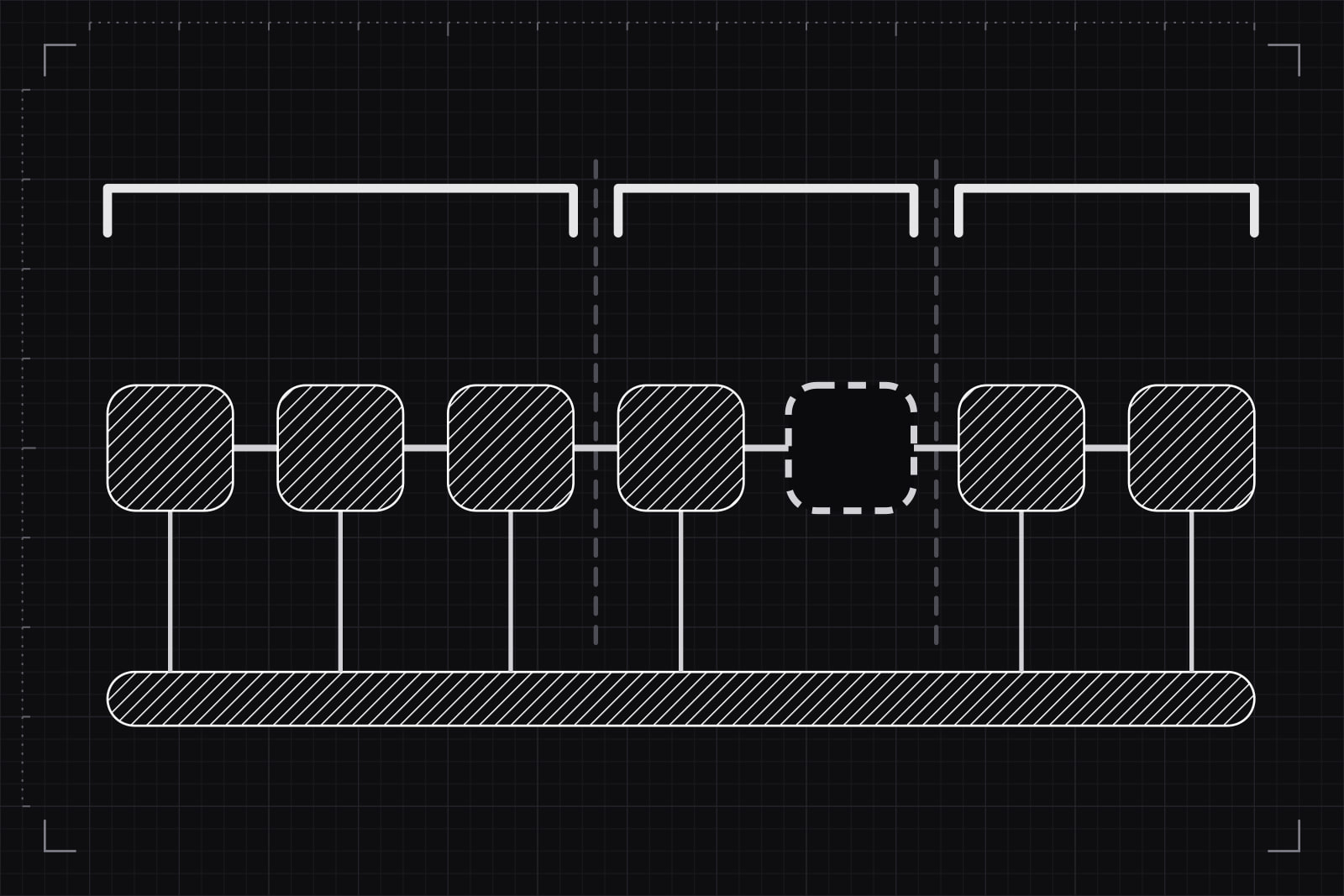
A long-running AI agent task is work an agent does for a user that lasts longer than one serverless function is allowed to run: reviewing 300 supplier contracts, reconciling a month of invoices, researching a market and drafting the report. The pattern below turns that task into a run made of steps. Each step is saved when it finishes, so the run can stop at any point and resume from the last saved step on a fresh function.
What the team has at the end: a run that survives a timeout, a deploy and a crash, never sends the same email or charges the same card twice, waits days for a human approval without paying for idle compute, and shows the user which step it reached after they close the tab and come back.
Why one function call cannot hold an agent run
Serverless platforms cap how long one invocation lives. On Vercel, a function running on Fluid compute gets 300 seconds by default on every plan; Pro and Enterprise can raise it to 800 seconds, and to 1,800 seconds in a beta that has to be set per function (Vercel, configuring maximum duration). AWS Lambda stops a function at 900 seconds, 15 minutes (AWS, Lambda function timeout).
An agent loop spends that budget fast. A model call that reasons over a long document and calls tools often takes tens of seconds. A tool that reads a web page or parses a PDF adds more. A step that needs a person ("approve these three refunds") can wait hours. Thirty iterations at thirty seconds each make fifteen minutes: past Lambda's limit and past Vercel's 800 seconds.
Raising the limit moves the wall further out, and the wall stays. The timeout is also the gentlest way a run dies. A deploy replaces the instance halfway through the loop. The model provider returns an overloaded error on iteration 22. The function crashes, the platform retries it from the top, and the agent writes to the same 21 suppliers a second time.
What to have in place before starting
- A durable execution runtime, the service that saves each step and resumes the run: Vercel Workflows, AWS Lambda durable functions, Cloudflare Workflows, or an engine the team runs itself, such as Temporal or Restate. A queue and a worker on a container do the job too, with the resume logic written by hand.
- A runs table in the product database: run id, user, input, status, current step and timestamps.
- Idempotency on every tool with a side effect: the email sender, the payment API, the CRM.
- A channel that pushes progress to the browser, such as server-sent events or a Redis pub/sub the interface subscribes to.
Step 1: Accept the task and return a run id
The request that starts the agent does one thing. It writes a row to the runs table with status queued, hands the run id to the runtime and returns 202 Accepted with that id in well under a second. Nothing of the agent runs inside the request. The browser puts the run id in the URL, so a reload or a shared link opens the same run.
This split shapes the interface as much as the backend. After "Start", the user sees a run page with a status, never a spinner tied to an open HTTP connection.
Step 2: Cut the loop at every model call and every side effect
A step is the unit the runtime saves. When a step returns, its result is written to durable storage. When the run resumes, completed steps hand back their stored result without running again. The rule for where to cut: one model call per step, one external side effect per step, and nothing in between that cannot be repeated.
With Vercel Workflows, generally available since 16 April 2026 (Vercel, A new programming model for durable execution), two directives mark the boundaries:
// workflows/review-contracts.ts export async function reviewContracts(runId: string) { "use workflow"; const files = await listFiles(runId); for (const file of files) { const finding = await checkContract(runId, file); await saveFinding(runId, file, finding); } return await draftSummary(runId); } async function checkContract(runId: string, file: string) { "use step"; // one model call; its answer is saved when the step returns }The orchestrating function holds only control flow: the loop, the branches, the order. Every call that goes over the network sits inside a step. AWS Lambda durable functions, announced on 2 December 2025, bring the same idea to Lambda with steps and waits in Node.js and Python, and one execution can last up to a year (AWS, Lambda durable functions). Cloudflare Workflows calls the unit step.do and allows 10,000 steps per workflow by default, up to 25,000 (Cloudflare, Workflows limits).
Step 3: Give every side effect an idempotency key
A step can run twice. The function can crash after the email goes out and before the runtime saves the result, and the retry sends it again. Saving steps makes that window small, and at volume a small window still gets hit. The fix sits on the tool side: every call with a side effect carries a key built from the run id and the step's position, such as run_8f2c:step_14:send-email, and the receiving service drops a second request with the same key.
Payment APIs already work this way. Stripe accepts an Idempotency-Key header and returns the first result for a repeated key (Stripe, idempotent requests). For an internal tool or an email provider without that support, the runs table can hold a sent_keys column the tool checks before it acts.
Step 4: Keep the orchestration code deterministic
Replay-based runtimes resume a run by executing the orchestrating function again from the top and skipping the steps whose results are stored. AWS documents this for durable functions: after a wait or an interruption, the code runs from the beginning and completed checkpoints return their saved values. The agent's code follows from that: the orchestrator has to take the same path on every replay.
- No
Date.now(), random ids or database reads in the orchestrator. They go in a step, so their value is saved once. - No branching on data fetched outside a step.
- The model's message history is rebuilt from step results, never kept in a variable that lives across invocations.
Break the rule and the replay walks a different branch, finds no stored result for a step it never ran, and calls the model again with a context the first run never saw.
Step 5: Wait for people without paying for the wait
An approval can take longer than the rest of the run put together. A run that drafts 40 refund emails and needs a manager's yes should suspend, save its state and release the function. The durable runtimes all have a wait for this: Cloudflare's step.waitForEvent waits up to 365 days, and instances that are sleeping or waiting for an event do not count toward the concurrency limit (Cloudflare, Workflows limits). Lambda durable functions suspend the same way and resume when the callback arrives.
The approval screen sends an event with the run id and the decision. The run picks up at the next step with the answer saved as that step's result, so a replay a week later still knows the manager said yes. Our piece on optimistic UI for AI agents covers which actions can skip the approval because their undo is real.
Step 6: Stream progress from the saved steps
The quickest design streams tokens straight from the function to the browser. It stops working at the first resume, because the new function has no socket to the old tab. The durable design writes progress where the run already lives: each step updates the run's current_step and status, and publishes a short event ("Checked contract 112 of 300") on the run's channel.
The run page reads the row on load and subscribes to the channel after. A user who closes the tab and returns the next day finds the run where it stands, with every finished step listed. Live tokens, when they matter, stream for the current step only.
Step 7: Put a budget and a stop on every run
A loop that runs for an hour can also spend for an hour. Each run gets three limits stored with it: a maximum number of steps, a maximum token spend and a deadline. A small step before every model call checks them and ends the run with status stopped when one is reached. The same step reads the cancel_requested flag the Stop button writes on the row, so a user's stop takes effect at the next step boundary. The numbers come from the feature's unit economics; our article on AI feature token cost shows how to set them.
How to check that it works
Four tests, on a staging deployment, before the feature ships:
- The deploy test. Start a 30-step run and deploy a new version at step 10. The run finishes, and the logs show steps 1 to 9 ran once.
- The crash test. Throw an error inside step 15 on its first attempt only. Steps 1 to 14 do not call the model again, and step 15 succeeds on the retry.
- The duplicate test. Kill the function right after an email step sends and before it returns. The recipient gets one email.
- The overnight test. Leave a run waiting for approval for 24 hours, approve it, and check that it resumes with its full context and that no function ran during the wait.
Common failures and how to fix them
- One step wraps the whole loop. The run is durable on paper and still dies at 800 seconds, because that step is a single invocation. Cut finer: one model call per step.
- The replay takes a different path. The cause is almost always a timestamp or a database read in the orchestrator. Move it into a step.
- Step results are too large. A 20 MB parsed PDF saved as a step result slows every replay and can hit the runtime's payload limit. Store the file in object storage and return its key.
- Retries flood a rate-limited API. Fifty runs fail on the same provider error and retry at once. Set exponential backoff on the steps that call external APIs, and cap concurrent runs per tenant.
Which runtime fits which stack
The choice follows where the product already runs. A Next.js app on Vercel gets Vercel Workflows with no new vendor: Vercel reports more than 100 million runs and 500 million steps across over 1,500 customers since the beta opened in October 2025. A backend already on AWS gets Lambda durable functions, with executions that last up to a year. A product on Cloudflare Workers gets Cloudflare Workflows, and Cloudflare's Agents documentation describes a long-running agent as one that exists continuously and runs intermittently (Cloudflare, long-running agents). A team that wants the same engine across clouds runs Temporal or Restate itself and pays for it in operations work.
We build agent features on Next.js, so a run split into steps on a durable runtime is our default for any agent task that lasts longer than one request. The design work is in the step boundaries. The runtime is a dependency.
Sources
- Vercel: Configuring maximum duration for Vercel Functions
- Vercel: A new programming model for durable execution (Workflows GA, 16 April 2026)
- AWS: Configure Lambda function timeout
- AWS: Lambda durable functions
- AWS: Lambda announces durable functions for multi-step applications and AI workflows (2 December 2025)
- Cloudflare: Workflows limits
- Cloudflare: Long-running agents
- Stripe: Idempotent requests
Frequently asked questions
For a task that reliably finishes in a few minutes, yes: one function with a raised limit is the simplest thing that works. The trouble is the tail. Agent runs vary with their input, so a task that takes four minutes on a small account can take twenty on a large one. A raised limit also does nothing for a deploy or a crash halfway through, and the retry starts the loop again from the first step. Once a task can pass the limit, or has side effects that must not repeat, the steps pay for themselves.
A queue, a worker and a runs table can do the same job. The worker handles one step per message, writes the result to the table and enqueues the next step. What the services add is that plumbing written once: replay, retries with backoff, timers that wait for days, and a dashboard of every run's steps. A team that builds it in-house writes and maintains all of that. For a single agent feature the managed runtime is less code to own; a team that already runs queues at scale may find its own version cheaper.
On the durable runtimes a waiting run holds no running function, so the wait itself burns no compute; what remains is the stored state and the resume. Cloudflare states that instances waiting for an event do not count toward its concurrency limit. Each provider prices the rest differently (per step, per run, or by the compute of the resumed functions), so the figures come from each one's pricing page. The expensive design is the opposite one: a container or a long function kept alive while a person decides.
The progress lives in the runs table, never in the connection. Each step writes its status and a short message to the run's row, and the run page reads that row when it loads, then subscribes to live events. A user who returns the next day sees every finished step and the one in progress. For runs that last hours, an email or in-app notification when the run ends or needs an approval brings the user back at the right moment.
Related articles
August 23, 2026 · 7 min read
October 1, 2026 · 8 min read
October 11, 2026 · 9 min read