

 Infra
InfraHow to add JSON-LD to a blog article the right way in 2026
JSON-LD is Google's recommended structured-data format. Here is the exact Article, BreadcrumbList, and FAQPage markup we ship on every post, with Next.js code.
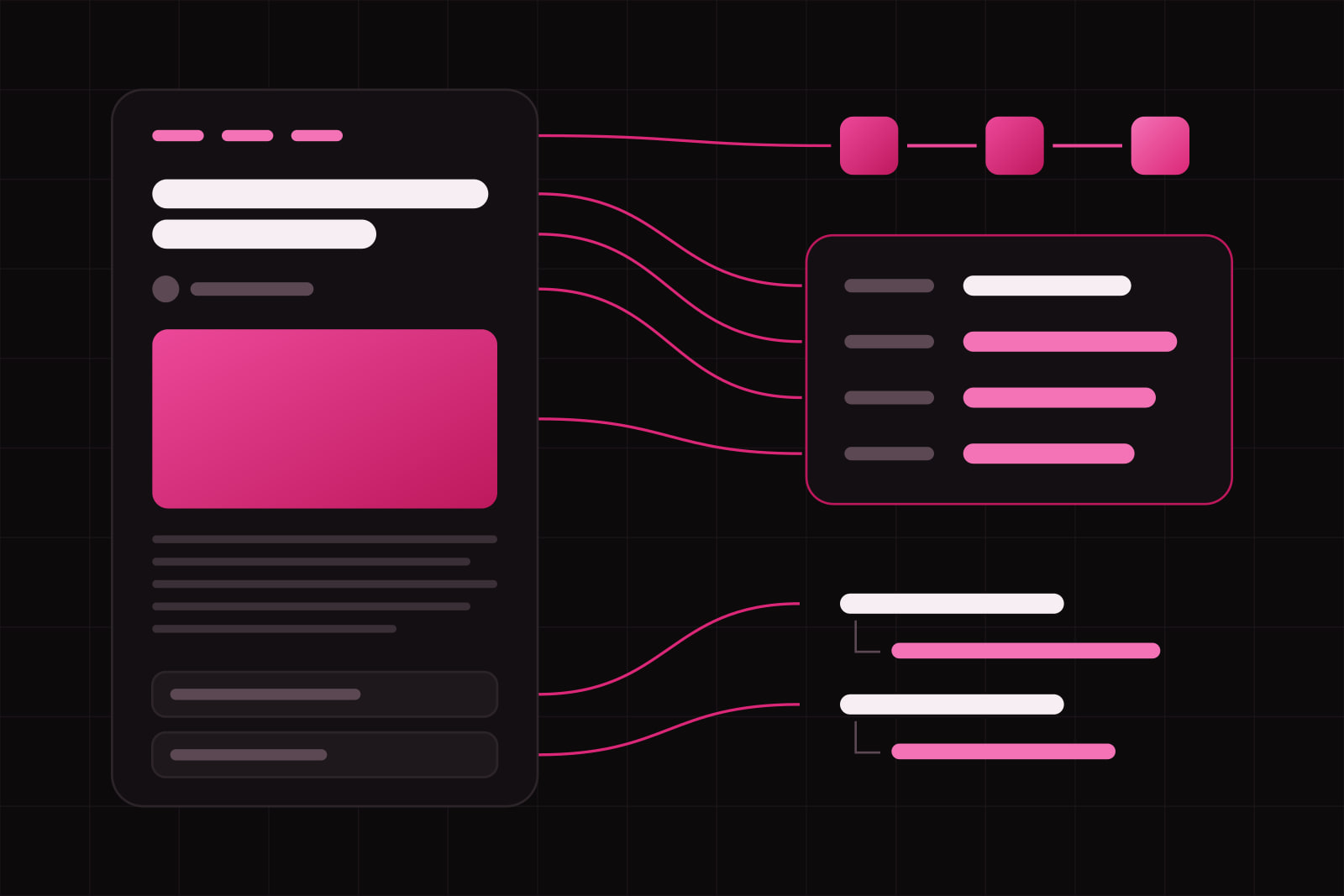
By the end of this guide you will have three JSON-LD blocks on every blog article: Article (or BlogPosting), BreadcrumbList, and, when the page earns it, FAQPage. Each block is valid, renders server-side, and passes the schema.org validator. This is the exact structure we ship on every post on this site.
JSON-LD is JavaScript Object Notation for Linked Data. It is the structured-data format Google recommends over Microdata and RDFa, because the markup lives in a single <script> tag instead of being interleaved with your visible HTML. That separation is the point: your markup and your layout stop fighting each other, and you can generate the block programmatically from the same data that renders the page.
One honest caveat before the code. In 2026, structured data buys you less in classic Google Search than it did two years ago. Google limited FAQ rich results to authoritative government and health sites in August 2023, and stopped showing them in Search entirely on 7 May 2026. HowTo rich results were deprecated on desktop in September 2023. So the reason to ship this markup today is not a star-rated snippet. It is machine-readability for the engines that now sit in front of your funnel: ChatGPT, Perplexity, Gemini, and Google AI Overviews all parse structured data to decide what a page is about and whether to cite it.
What you need before you start
- A blog with server-rendered article pages. If your article text is injected by client-side JavaScript, fix that first. Crawlers and AI engines need the content and the markup in the initial HTML.
- A stable, absolute canonical URL per article (https://yourdomain.com/blog/slug).
- The article's real metadata at render time: title, publish date, last-updated date, author, cover image URL, category.
- Access to validator.schema.org and Google's Rich Results Test for verification.
Step 1: Ship an Article block on every post
Article is the base type for editorial content. Google accepts three subtypes: Article, NewsArticle, and BlogPosting. For a blog, use BlogPosting. It inherits every Article property and signals that the content is a post, not a news wire or a static page.
Google's guidance no longer lists strictly required fields, but it expects headline and image, and it reads datePublished, dateModified, author, and publisher to understand freshness and provenance. Here is the block we emit:
{
  "@context": "https://schema.org",
  "@type": "BlogPosting",
  "@id": "https://yourdomain.com/blog/json-ld-guide#article",
  "headline": "How to add JSON-LD to a blog article",
  "image": "https://yourdomain.com/covers/json-ld.jpg",
  "datePublished": "2026-07-04T09:00:00Z",
  "dateModified": "2026-07-04T09:00:00Z",
  "author": { "@type": "Organization", "name": "Your Studio" },
  "publisher": {
    "@type": "Organization",
    "name": "Your Studio",
    "logo": { "@type": "ImageObject", "url": "https://yourdomain.com/logo.png" }
  },
  "mainEntityOfPage": "https://yourdomain.com/blog/json-ld-guide"
}
Two details people get wrong. Keep headline under 110 characters, because Google truncates longer ones. And set dateModified from your real content-freshness signal, not from a database row that any migration touches. If dateModified lies, freshness ranking works against you.
Step 2: Add a BreadcrumbList on every page
BreadcrumbList tells engines where the page sits in your site hierarchy. It is cheap to emit, it still produces breadcrumb trails in Google Search, and it gives AI engines a clean path structure to reason about. Emit one on every article:
{
  "@context": "https://schema.org",
  "@type": "BreadcrumbList",
  "itemListElement": [
    { "@type": "ListItem", "position": 1, "name": "Blog", "item": "https://yourdomain.com/blog" },
    { "@type": "ListItem", "position": 2, "name": "How to add JSON-LD to a blog article", "item": "https://yourdomain.com/blog/json-ld-guide" }
  ]
}
Step 3: Add FAQPage only when the FAQ is real
FAQPage is still a valid schema.org type and Google still parses it, even though the visual rich result is gone. It stays one of the highest-value blocks for AI citation, because it hands an engine a clean question-and-answer pair it can lift verbatim. There is one rule that is not negotiable: the questions and answers in the markup must exist, visibly, on the page. Marking up questions a user cannot see is a structured-data spam violation, and it is the fastest route to a manual action.
{
  "@context": "https://schema.org",
  "@type": "FAQPage",
  "mainEntity": [
    {
      "@type": "Question",
      "name": "Does JSON-LD still help SEO in 2026?",
      "acceptedAnswer": {
        "@type": "Answer",
        "text": "Yes, for machine-readability. The rich results are mostly gone, but AI engines parse the markup to understand and cite your page."
      }
    }
  ]
}
Skip this block on posts that do not carry a genuine FAQ. An empty or padded FAQPage adds nothing and invites the spam flag.
Step 4: Render it server-side in Next.js
Because JSON-LD is data, not executable code, the Next.js documentation recommends a plain <script type="application/ld+json"> tag rendered from a Server Component, not the next/script component. Build the object, stringify it, and inject it in your page or layout:
export default function ArticlePage({ post }) {
  const jsonLd = buildBlogPosting(post)
  return (
    <>
      <script
        type="application/ld+json"
        dangerouslySetInnerHTML={{
          __html: JSON.stringify(jsonLd).replace(/</g, "\u003c"),
        }}
      />
      <Article post={post} />
    </>
  )
}
The .replace(/</g, "\u003c") is not optional. JSON.stringify does not escape angle brackets, so a </script> sequence inside any field (a title, an answer) can break out of the tag and open an XSS hole. Replacing < with its Unicode escape closes it. This is the one security detail most tutorials skip.
Step 5: Verify before you ship
Run three checks, in order:
- schema.org validator. Paste the URL into validator.schema.org. It catches type errors and malformed properties.
- Google Rich Results Test. Confirms Google can parse the block, even for types that no longer render a rich result.
- View source, not the inspector. Search the raw HTML for
application/ld+json. If it appears only in the hydrated DOM and not in view-source, it is client-rendered and many crawlers will miss it.
Common failures and fixes
Duplicate blocks after hydration. A script tag placed in a Server Component can render twice: once in the server HTML, once when React hydrates. Render it once, high in the tree, and confirm there is a single block in view-source.
dateModified drifting from reality. If any row write bumps your updated_at column, do not wire dateModified to it. Anchor it to a real editorial-update signal, or engines learn your freshness dates are noise.
Marking up invisible content. FAQ or HowTo markup whose text is not on the page violates Google's structured-data policies. Keep the markup a mirror of what the reader sees.
Relative image or @id URLs. Use absolute https URLs everywhere in JSON-LD. Relative paths resolve inconsistently across parsers.
What about HowTo?
Ship a HowTo block only on genuinely procedural posts, a step-by-step like this one. Google removed HowTo rich results from desktop in September 2023, so there is no visual payoff, but the markup still helps an AI engine reconstruct your steps in order. Keep each step's text short and factual, and point each step's url at the matching heading.
That is the whole stack: BlogPosting and BreadcrumbList on every post, FAQPage when the questions are real, HowTo when the post is procedural. Four blocks, all server-rendered, all validated. For the wider map of which schema types earn their place on a blog, see our companion piece on the 7 schema markup types every blog needs. For why this markup matters more for AI engines than for Google now, read what GEO is and how it differs from SEO.
Sources
Frequently asked questions
Use BlogPosting. It is a subtype of Article built for blog content and inherits every Article property, so you lose nothing and gain a more precise signal. Reserve NewsArticle for time-sensitive journalism, and use the generic Article only when a page is neither a post nor a news item.
Either works. Google and AI crawlers accept a JSON-LD script tag anywhere in the document. What matters is that it is present in the server-rendered HTML, not injected later by client-side JavaScript. Pick one place, keep it consistent, and confirm it in view-source.
Yes, because they do different jobs. Open Graph controls how a link looks when shared on social platforms. Meta tags describe the page to browsers and basic crawlers. JSON-LD describes entities and relationships (who wrote this, when, in what category) in a form search engines and AI models parse to understand and cite the page. They complement each other; none replaces the others.
As many as the page honestly describes. A blog article commonly carries three or four: BlogPosting, BreadcrumbList, and optionally FAQPage or HowTo. You can emit each as a separate script tag, or combine them under a single @graph array. Parsers handle both. The only limit is relevance: every block must describe content that is actually on the page.
Related articles
Infra Infra
InfraCloudflare Workers AI vs the OpenAI API: where each wins
Workers AI bills $0.011 per 1,000 Neurons and runs on GPUs in over 180 cities. Here is where that beats a hosted API, and where it does not. Infra
Infra